The TRAVOLIS company space brings together everything a transport company needs: agencies, fleet, drivers, routes, fares, departures, counter, parcels, cash desk and finance. Everything is set up from a browser, nothing to install.
1. Create your account
- Open Agencies: join TRAVOLIS and tap Create my company, or sign in directly at Sign in with your phone.
- If you have no company yet, the space offers Create my company.
2. Register the company
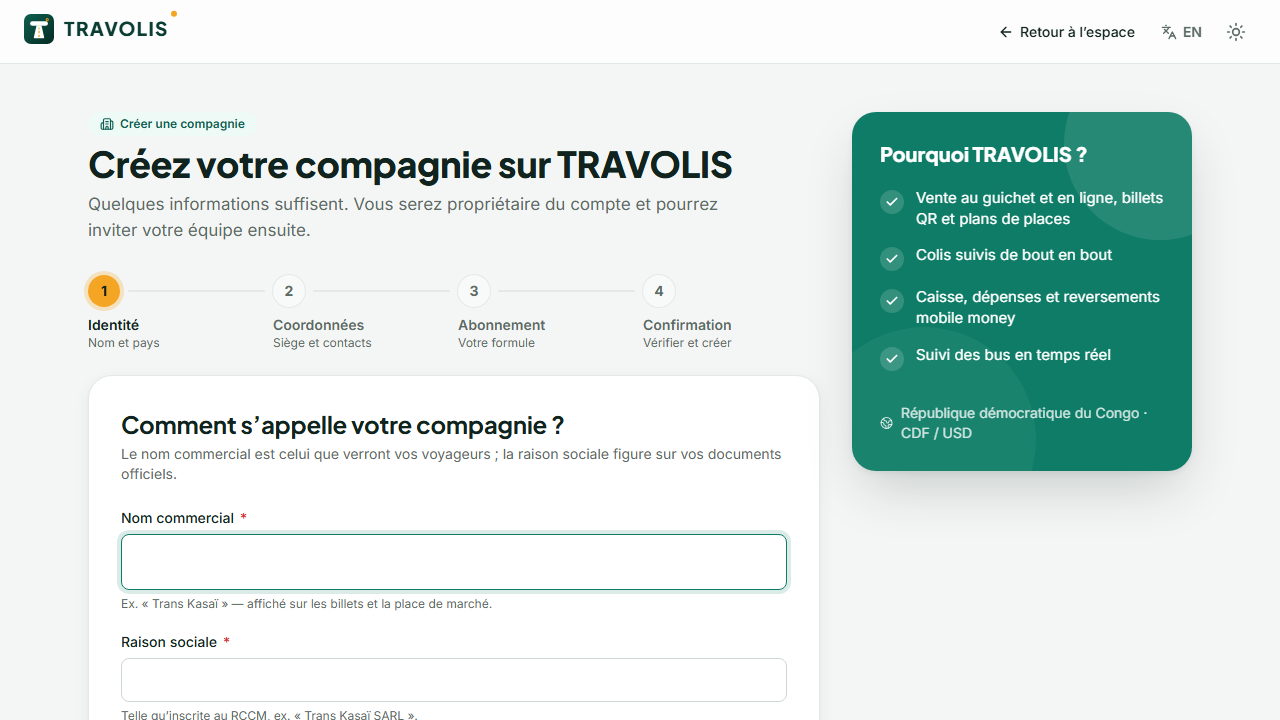
At /espace/nouvelle-compagnie, fill in:
- the legal name and the trading name shown to travellers;
- the country (the DRC is preloaded with its 26 provinces and cities) and head-office city;
- the contact phone and email, the address;
- the plan: Starter, Pro or Enterprise. Prices, the commission on online sales and limits (agencies, vehicles, users) are shown for each plan. You can change plan later.
Accept the terms and confirm. You become the account owner.
Good to know — No commission is taken on counter sales. The commission only applies to tickets sold online on TRAVOLIS.
3. Follow the getting-started wizard
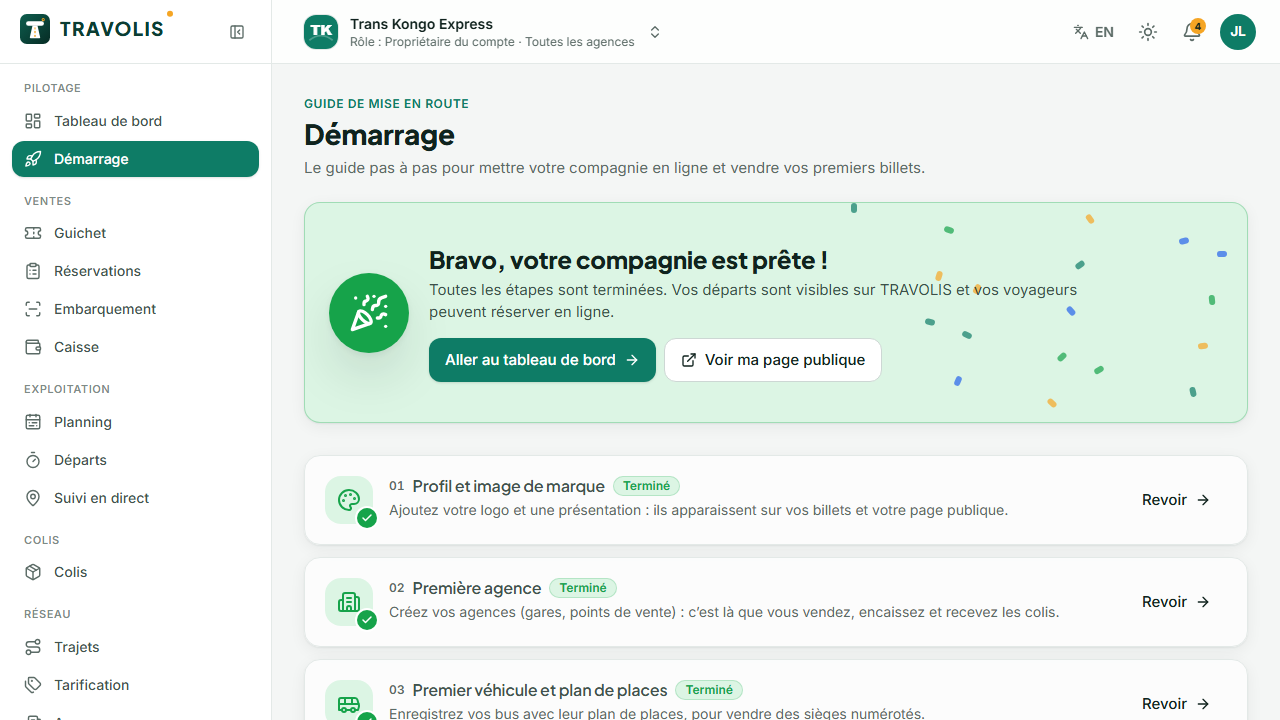
The Getting started page lists the steps and their state. Each step opens the right screen:
| Step | Where | What to do |
|---|---|---|
| Profile | Settings | Logo, FR/EN description, brand colour |
| Agencies | Agencies | At least one agency with its map position |
| Fleet | Vehicles | A vehicle and its seat layout |
| Drivers | Drivers | An internal or external driver |
| Routes | Routes | A route with its stops |
| Fares | Routes → Fares | Prices per segment and class |
| First departure | Departures | A one-off or recurring departure |
| Verification | Verification | KYC documents |
| Payout | Verification | The mobile money payout number |
4. The dashboard
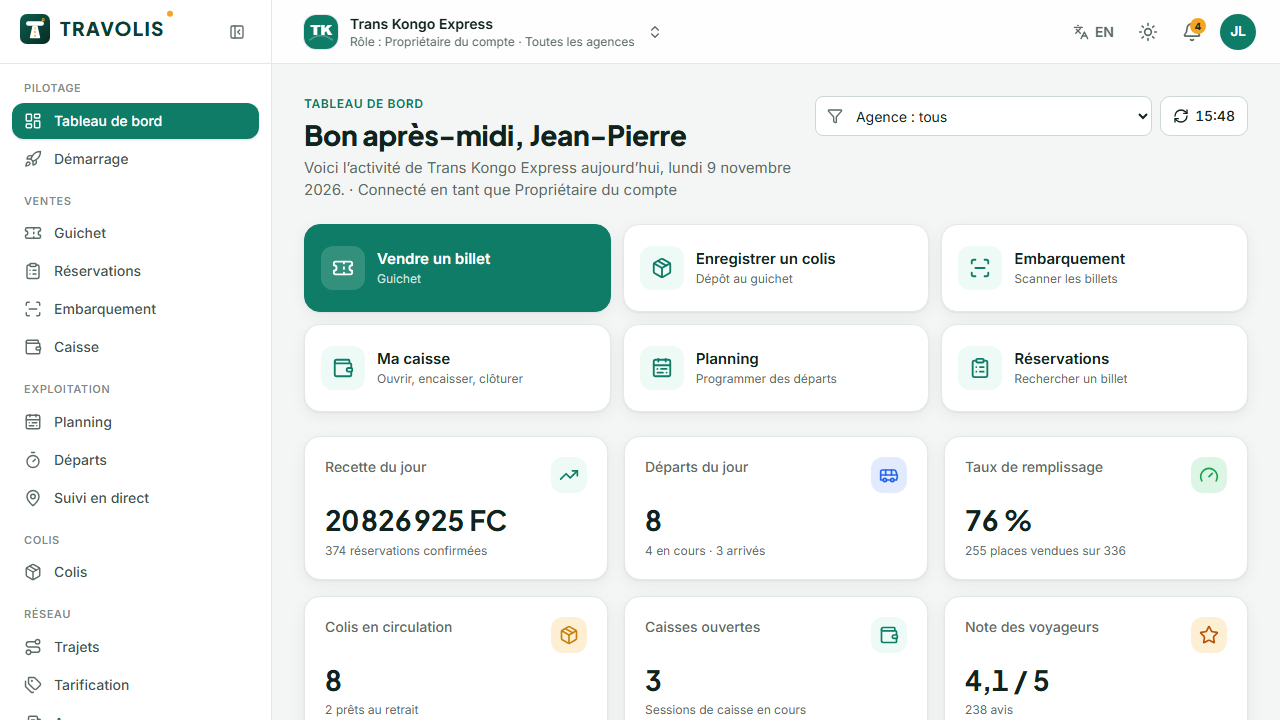
The dashboard summarises the day: today's departures and their load, revenue by channel (online, counter), recent bookings and alerts (expiring vehicle documents, departures without vehicle or driver, cash desks still open, verification status).
5. Public visibility
Until TRAVOLIS approves your verification, you can configure everything and sell at the counter, but your company does not appear in searches and receives no payouts. Follow Verification and payout number.