Verification protects travellers: only companies approved by TRAVOLIS are publicly visible and show the Verified company badge.
Documents to provide
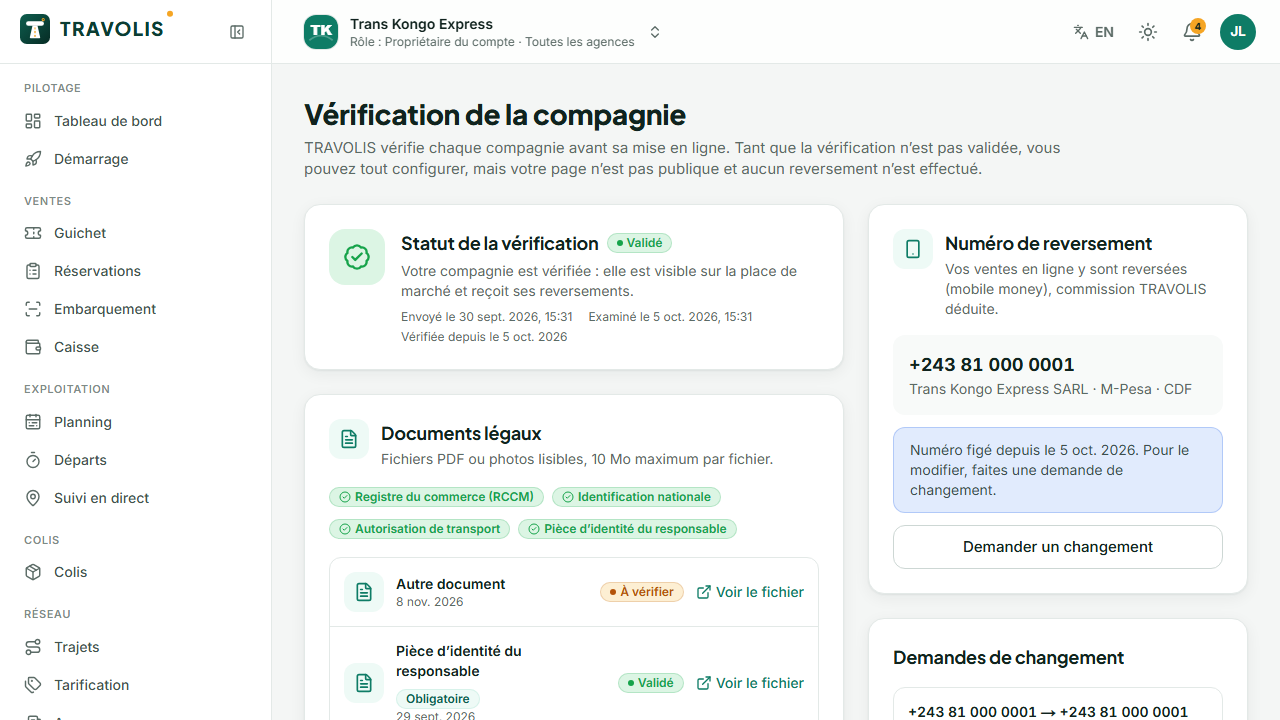
Open Verification. Four documents are required:
- the RCCM (trade register);
- the company's national identification number;
- the transport licence;
- the manager's ID.
A tax certificate or other supporting document can be added. For each document: choose the type, drop the file (PDF or sharp photo, 10 MB max), enter the number and expiry date if any.
Payout number
On the same page, declare the mobile money number TRAVOLIS will pay online sales to, the holder's name and the currency. The operator is detected automatically (M-Pesa, Orange Money, Airtel Money).
Good to know — By default, online sales collected before 6 pm are paid out the same day at 6 pm, minus commission; sales after 6 pm go out the next day. Each payout comes with a detailed statement.
Submit for review
When all required documents are present, tap Submit for review. The status changes:
| Status | Meaning |
|---|---|
| Pending | Documents incomplete or not yet sent |
| Under review | TRAVOLIS is checking your documents |
| Approved | Company publicly visible, payouts active |
| Rejected | The reason is shown: fix the document and resubmit |
| Suspended | Contact TRAVOLIS |
You are notified at every change.
Change the payout number
After approval, the payout number is locked for your security. To change it:
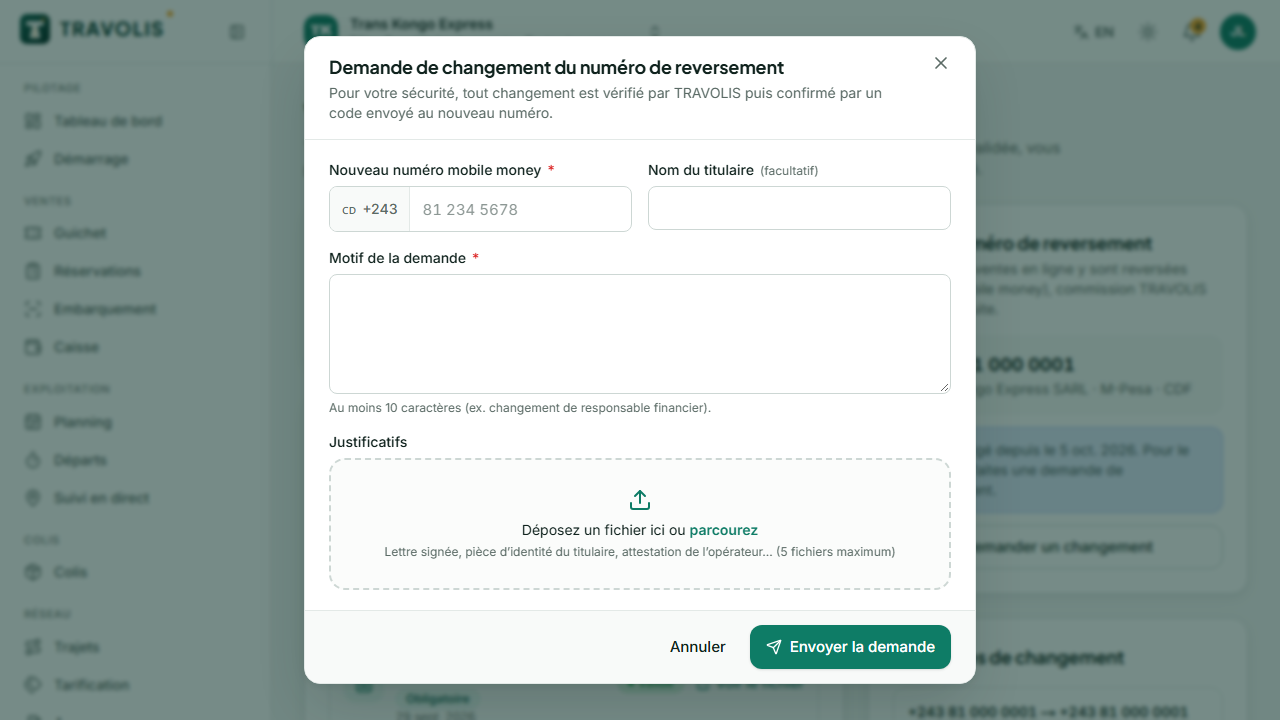
- In Verification, tap Request a change.
- Enter the new number, the holder's name and the justification, then attach supporting files (operator certificate, ID…).
- TRAVOLIS reviews the request. If approved, a confirmation code is sent to the new number.
- Enter that code in the request to finalise. The change is recorded in the audit log.