Create an agency
- Open Agencies and tap New agency.
- Enter the name, city (autocomplete), address, phone and email.
- Place the agency on the map: click the exact spot or drag the pin. This position is used to show travellers the distance and the way there.
- Set opening hours day by day (or “closed”).
- Add photos of the agency (counter, waiting room, parking).
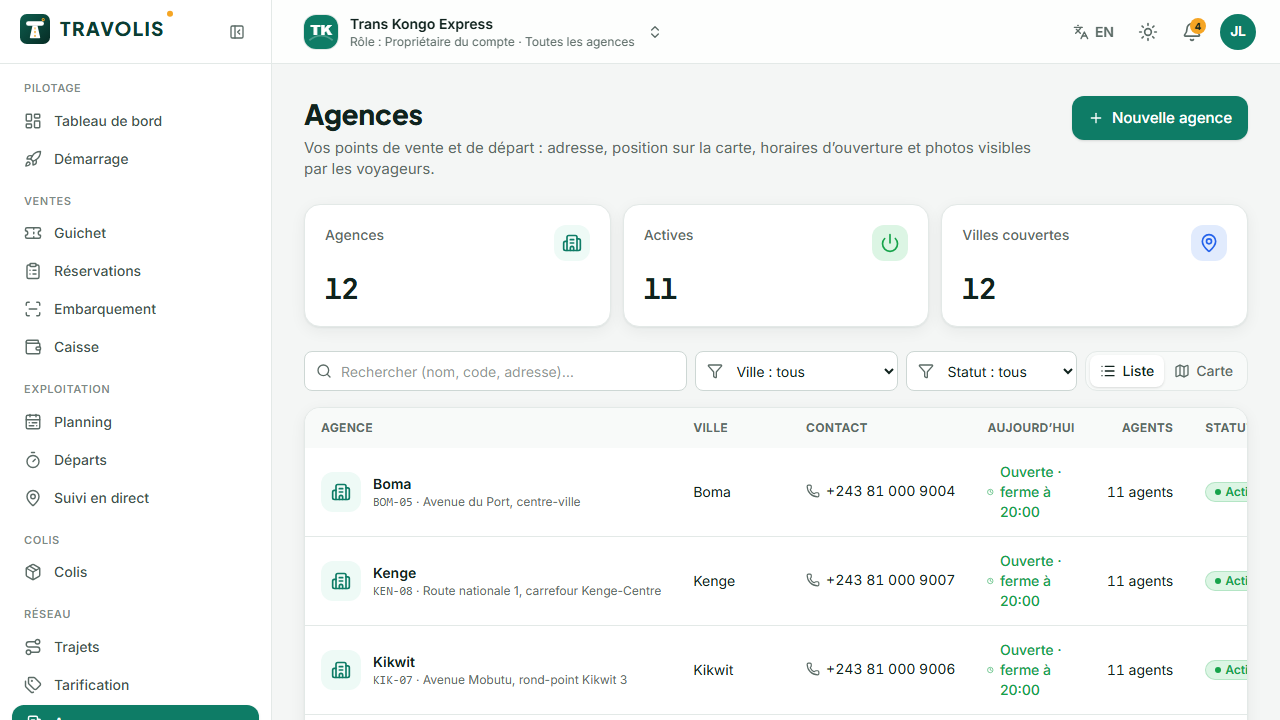
The first agency becomes the head office. Each agency has its own cash desk, departures and statistics; staff are attached to agencies in Users and roles.
Register a vehicle
- Open Vehicles and tap New vehicle.
- Choose Own vehicle or External vehicle (brought by an owner or an independent driver).
- Enter the plate, make, model, year, colour and type (bus, minibus, car, truck, van).
- Choose the seat layout (see below) and tick amenities: air conditioning, Wi-Fi, USB sockets, toilet…
- Add photos.
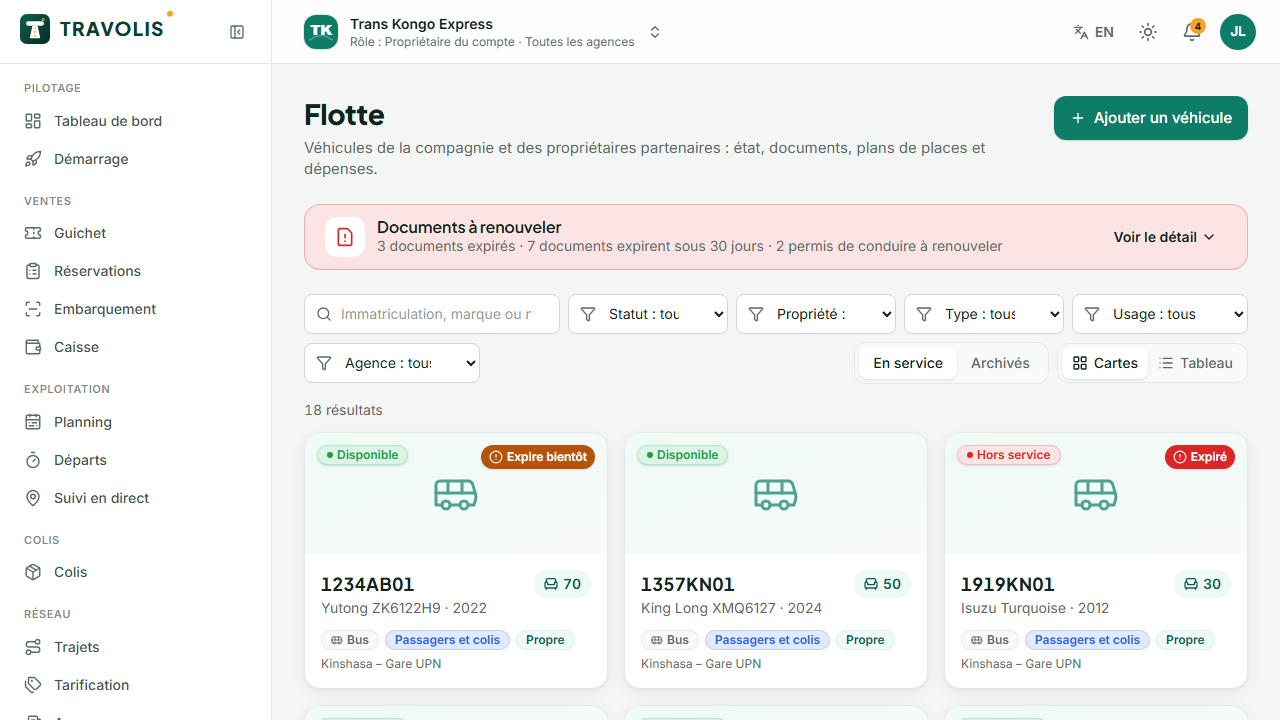
In the vehicle record:
- Documents: insurance, technical inspection, registration, licence. Enter the expiry date: an alert appears on the dashboard 30 days before.
- Status: available, in maintenance, out of service (“on a trip” is automatic).
- Expenses: fuel, maintenance, repairs, tolls linked to the vehicle.
- Recent trips and any contracts.
Every kind of vehicle: buses, cars, motorbikes…
Your fleet is not limited to buses. Pick the vehicle type when you register it:
| Type | Typical use | Seat layout |
|---|---|---|
| Bus | Long intercity lines | 30, 50 or 70 seats |
| Minibus | Regional lines | 18 seats |
| Car | Short links, travellers in a hurry, small groups | 5 or 7 seats |
| Motorbike | Fast parcel delivery in town, single passenger | 1 passenger |
| Tricycle | Parcels and short urban trips | 3 passengers |
| Van, truck | Freight and large parcels | No passenger seat |
Also set the use: Passengers, Parcels or Mixed. A “Parcels” vehicle is not offered for ticket sales but can carry shipments; a “Mixed” one does both. The Vehicle model picker pre-fills make, capacity, seat layout and amenities for common models (Yutong, Toyota Coaster, Hiace, Corolla, Noah, Land Cruiser, Bajaj Boxer, TVS, Bajaj RE tricycle…).
Draw a seat layout
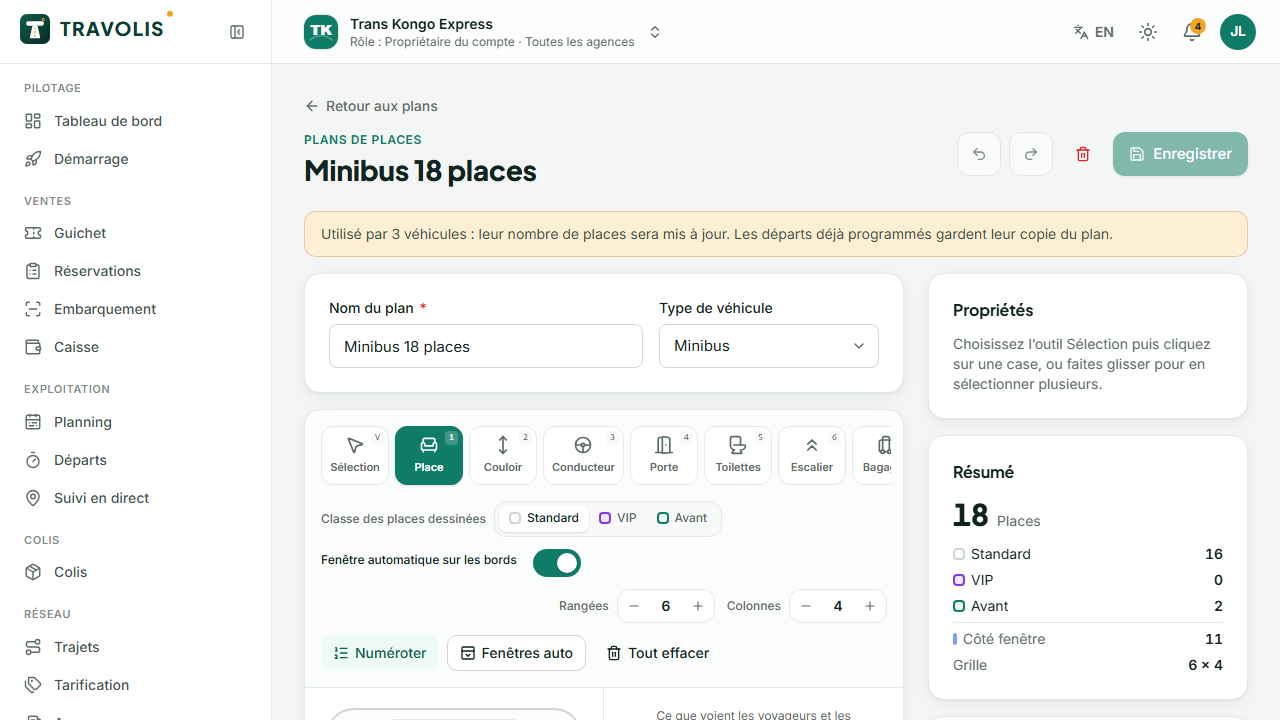
- Open Seat layouts.
- Start from a template (bus 30, 50 or 70 seats, minibus 18, car 5 or 7) or an empty grid.
- Click a cell to cycle its type: seat → aisle → driver → door → empty → toilet.
- Select a seat to set its class (standard, VIP, front) and the window flag.
- Use Auto-number to renumber seats from front to back.
- Check the result in the 2D and 3D preview, then save.
Tip — VIP and front seats can have their own price in the route's fare grid.