TRAVOLIS knows the real road links of the DR Congo. Instead of typing everything by hand, you start from real templates: tick what applies to you, confirm, then adjust freely. Added items are ordinary items: you can edit, deactivate or delete them at any time.
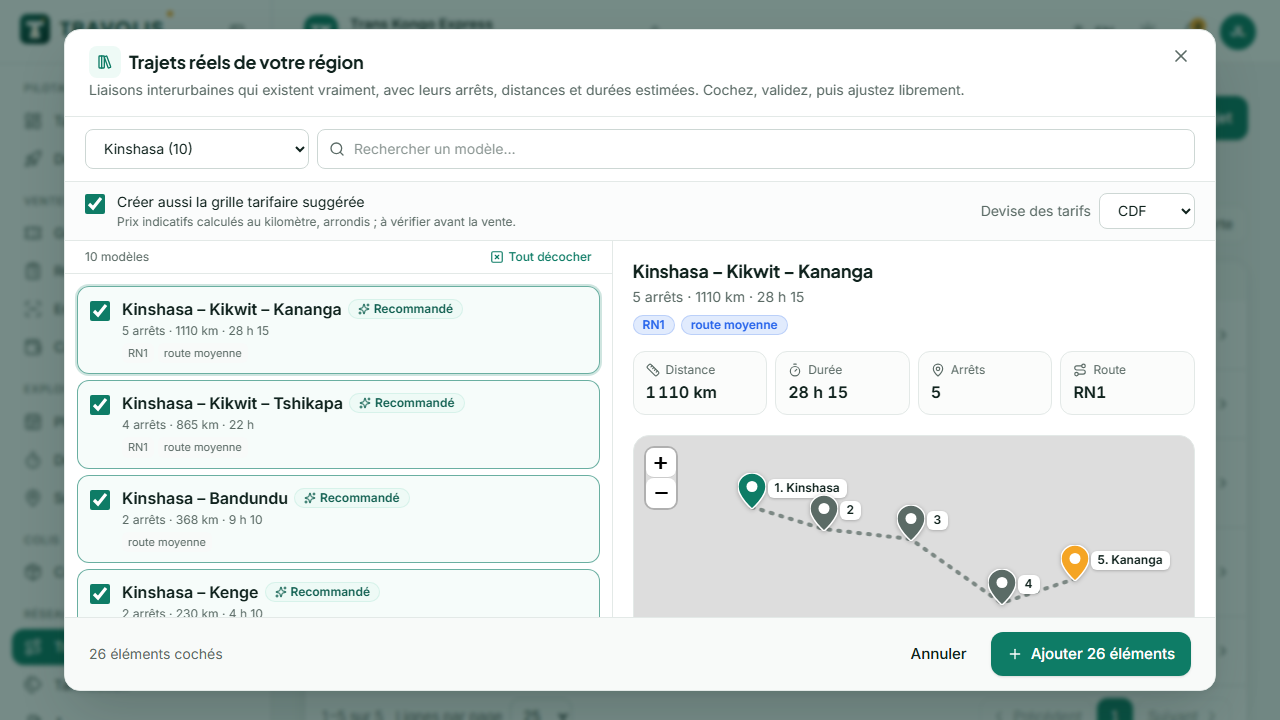
Example — A company based in Beni opens Routes → Choose from the catalogue, filters the North Kivu province and sees every link in the area: Goma – Butembo – Beni, Beni – Oicha – Eringeti, Beni – Kasindi, Beni – Bunia… It ticks the three lines it runs, keeps “Create the suggested fare grid”, clicks Add 3 routes, then fine-tunes the grid prices.
Where to find the catalogue
The Choose from the catalogue button sits next to “New…” and in every list that is still empty:
| Screen | What the catalogue offers |
|---|---|
| Routes | Real links by province, with stops in order, distance, estimated duration and a suggested fare grid per segment and class |
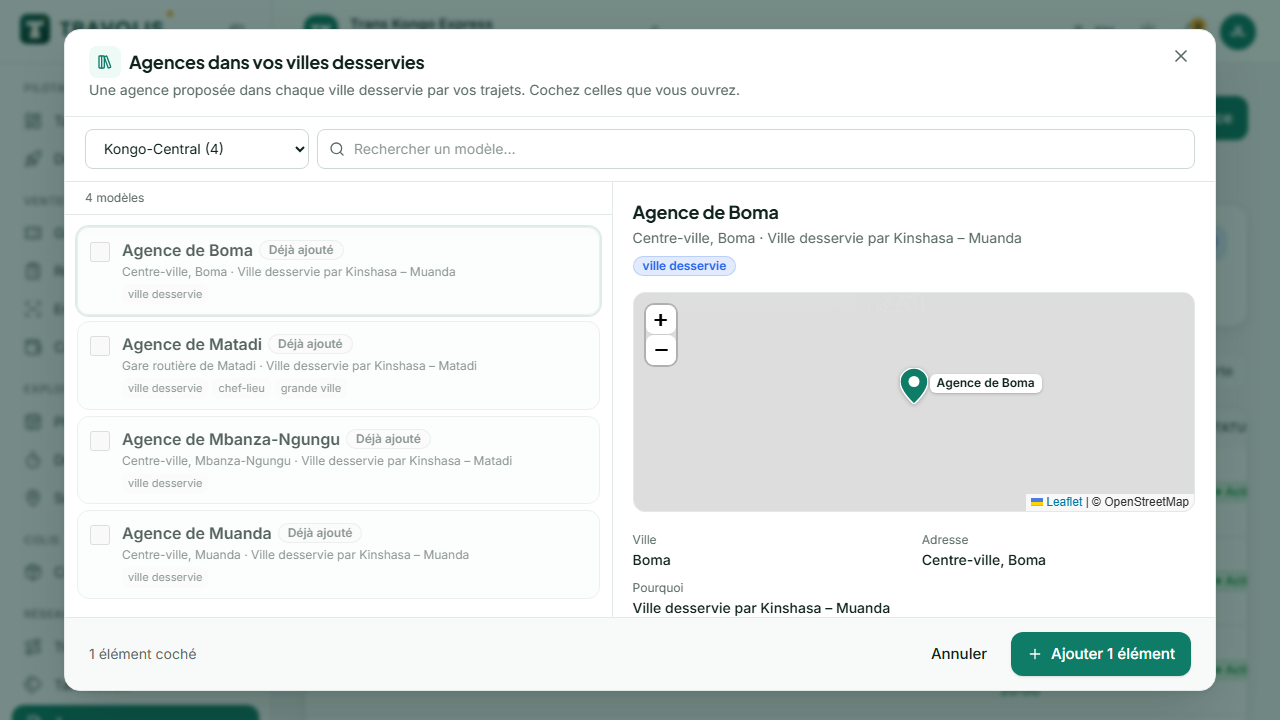
| Agencies | One agency in each city served by your routes and in the province’s main cities, placed on the map |
| Departures → Recurring schedules | Times suited to the route’s duration (for example 06:00 and 13:00 every day) |
| Pricing | Common rules (weekend, year-end holidays, early booking, groups), passenger categories (student, senior, child, infant) and promo codes |
| Parcels → Tariffs | Usual weight brackets (documents, 0–5 kg, 5–20 kg, 20–50 kg, per kg above) |
| Fleet → New vehicle | Common models of buses, minibuses, cars, motorbikes, tricycles and vans (Yutong, Toyota Coaster, Hiace, Corolla, Land Cruiser, Bajaj Boxer, TVS…): make, capacity, seat layout and amenities fill in automatically |
The Getting started assistant also offers the catalogue at each step.
Choose and add
- Pick the province (your head office’s is preselected) or search for a city.
- Templates recommended for your company are already ticked. Those you have already added are greyed out: no duplicates.
- Click a template to preview it: itinerary on the map, distance, duration and suggested prices for a route.
- For routes, choose the currency and keep the suggested fare grid or not.
- Click Add N items. A summary shows what was created (with an Edit link) and what was skipped.
Adjust afterwards
- Routes: edit stops, durations, baggage rules and the fare grid as for a route created by hand.
- Agencies: set the exact address, move the pin on the map, add the phone number and photos.
- Schedules: assign a vehicle and a driver, then generate the departures.
Good to know — Catalogue distances and durations are road estimates, and suggested prices are based on a per-kilometre rate. Check them before opening sales.
In the mobile app
The same catalogues are available from the company space More menu (book icon at the top of the relevant lists). Selecting and adding work the same way.