Add a driver
- Open Drivers and tap New driver.
- Choose Internal (company employee) or External (comes with their vehicle, occasionally).
- Enter first name, last name, phone, photo and ID number.
- Fill in the licence: number, category, expiry date (automatic alert before expiry) and a copy.
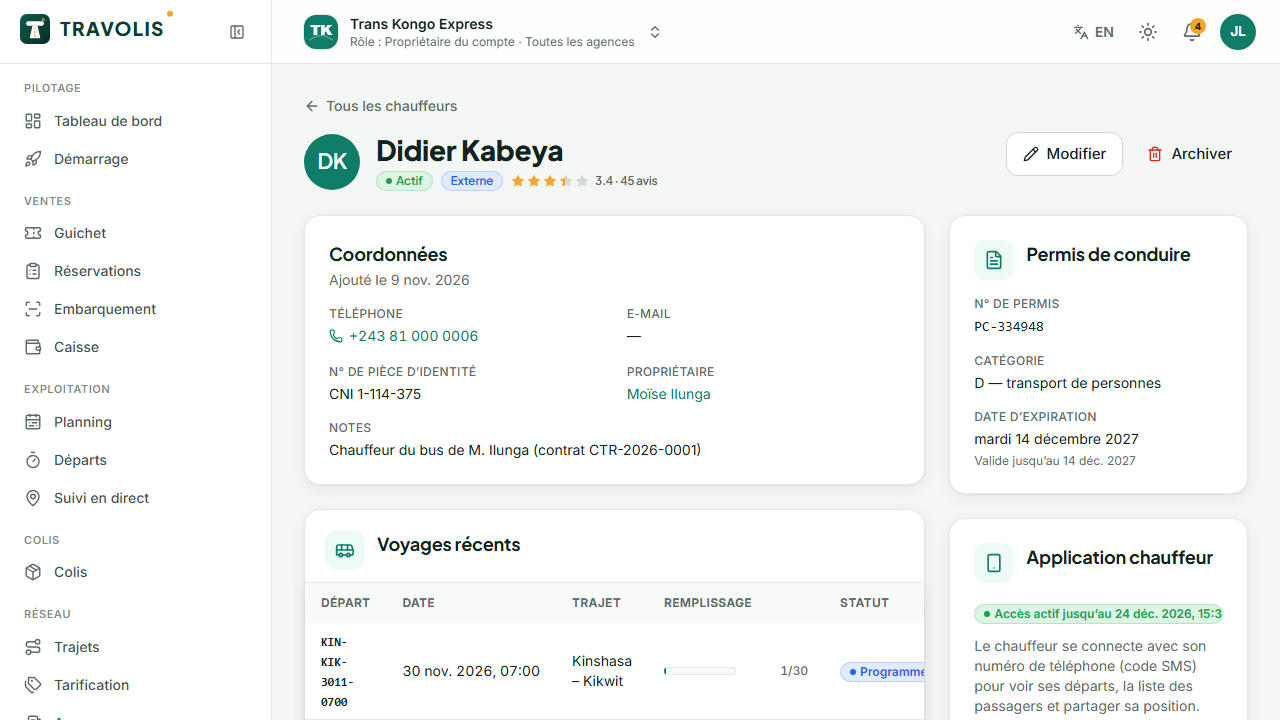
Give access to the driver app
In the record, tap Grant access. The driver signs in to the TRAVOLIS mobile app with their number (SMS code). For an external driver, set an access end date: access is limited to the trip. You can revoke access at any time.
The record shows trip history and ratings left by travellers.
External vehicle owners
Many agencies work with vehicles provided by third parties. TRAVOLIS separates the vehicle from the assignment: a vehicle has an owner (the company or a third party), each departure receives a vehicle and a driver.
- Open Owners and contracts, Owners tab.
- Before creating, use the lookup by phone or plate: if the owner or vehicle is already known, it is found.
- Create the owner: name, phone, payout number, ID. Tick Grant access so they can follow what they are owed in the app.
Create a one-off contract
Contracts tab → New contract:
- the external vehicle and, if needed, the driver;
- the scope: one trip or a period (start and end dates);
- the compensation: flat amount per trip, percentage of revenue or amount per passenger;
- the currency and written terms.
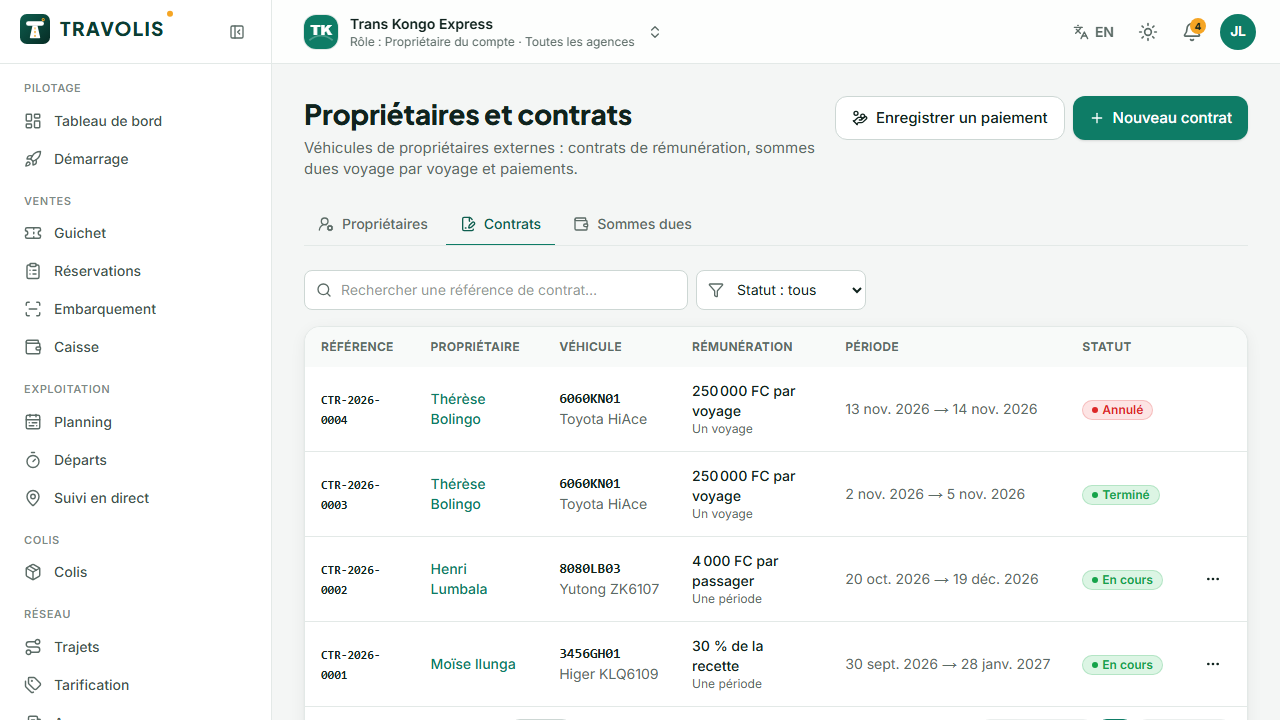
For each arrived departure with this vehicle, TRAVOLIS automatically calculates what is owed to the owner.
Pay an owner
Dues tab: amounts due per departure and the remaining total per currency. Tap Record a payment on an owner, enter the amount, method (cash, mobile money, bank transfer) and reference. The payment is applied to the oldest dues, or to the ones you select.