The Agency manager role gives access to departures, cash desks, staff and statistics of the agencies assigned to you. If your access is limited to some agencies, only their data appears.
In the morning: check the planning
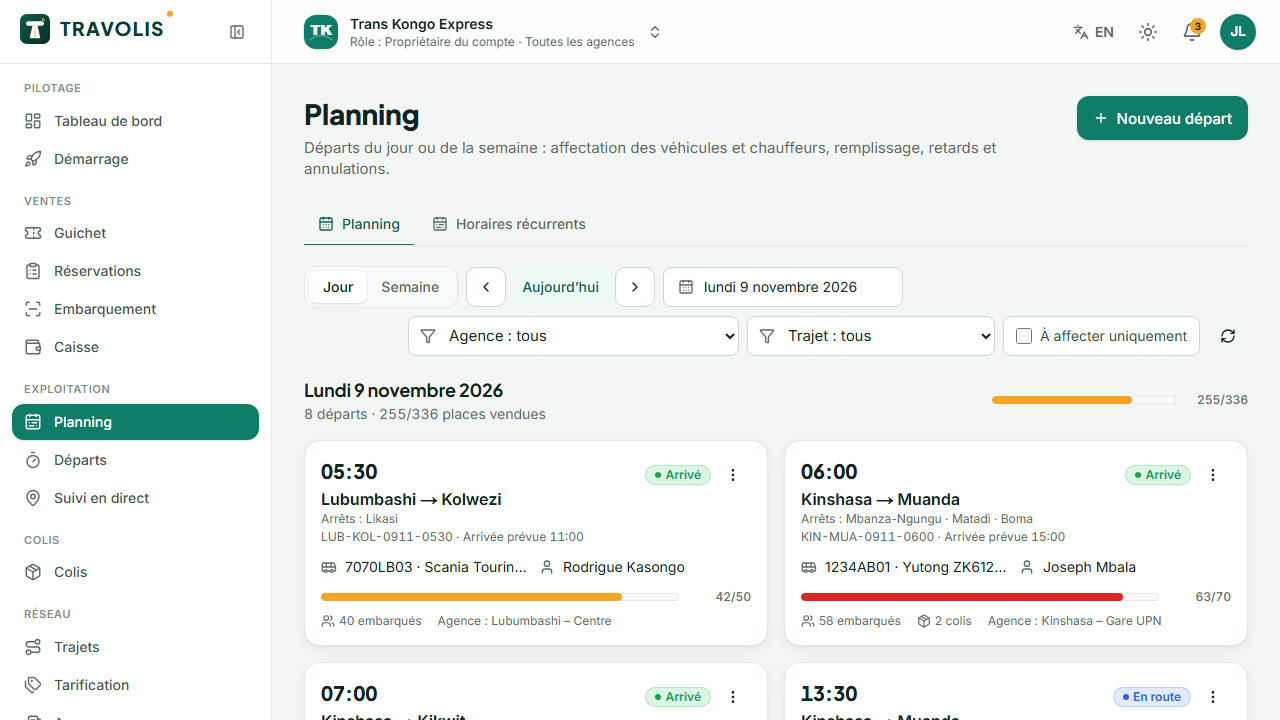
- Open Planning in Day view and filter on your agency.
- Spot the highlighted departures without vehicle or driver and assign them (click the departure → Assign).
- Check the load bars: an almost full departure may justify opening a second one.
- The dashboard flags expired vehicle documents and cash desks left open the day before.
During the day: statuses and delays
From a departure's details or the planning:
- Boarding when doors open;
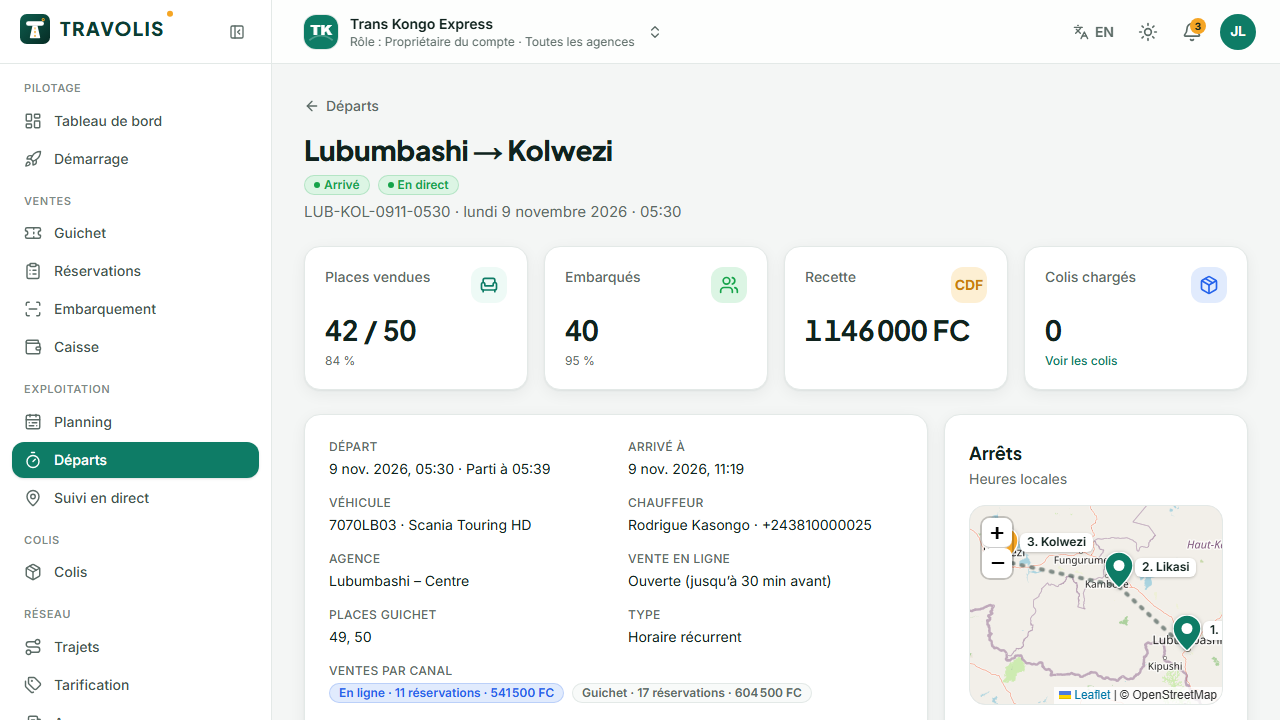
- Delayed with the number of minutes and the reason: travellers get an automatic SMS;
- Departed then Arrived (the driver can also do it from the app).
To cancel a departure, open it → Cancel departure, enter the reason and confirm. All tickets are cancelled, online payers are refunded automatically, counter travellers are notified.
Live tracking and incidents
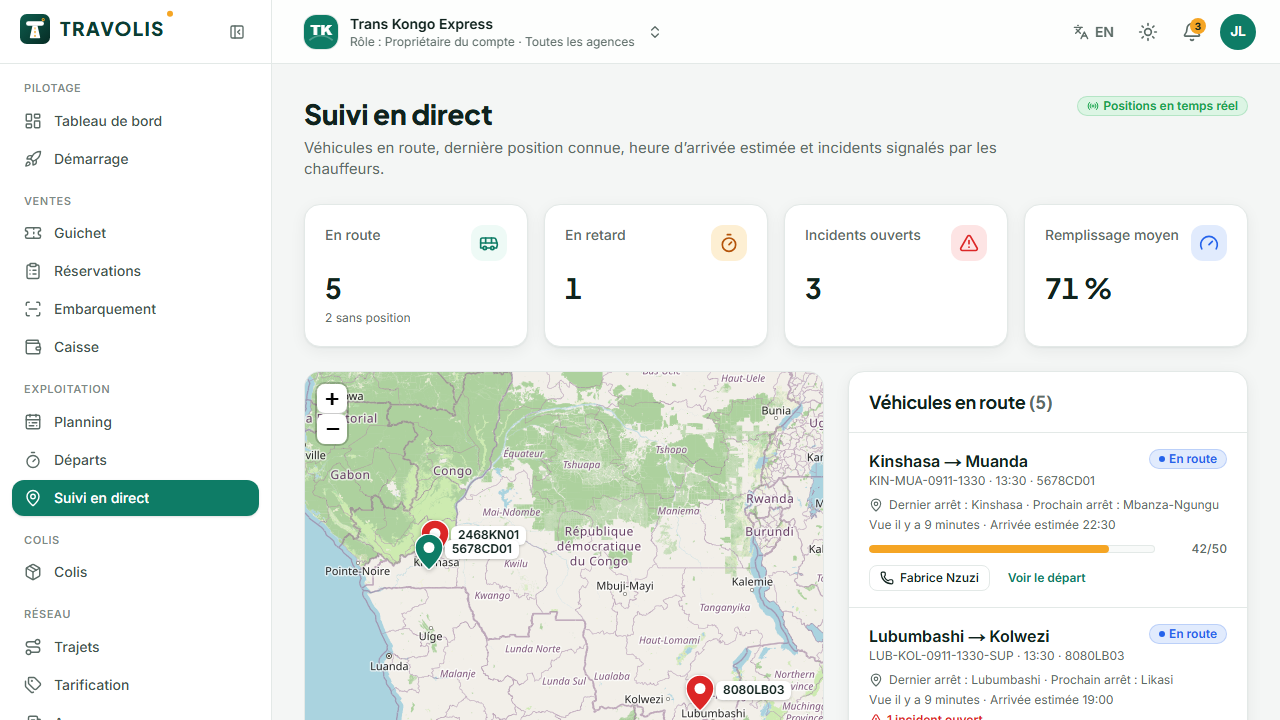
Live tracking shows the map of vehicles on the road, their last position and estimated arrival time. Incidents reported by drivers (breakdown, delay, accident) appear in the list: open them, acknowledge, then resolve with a note.
In the evening: approve cash desks
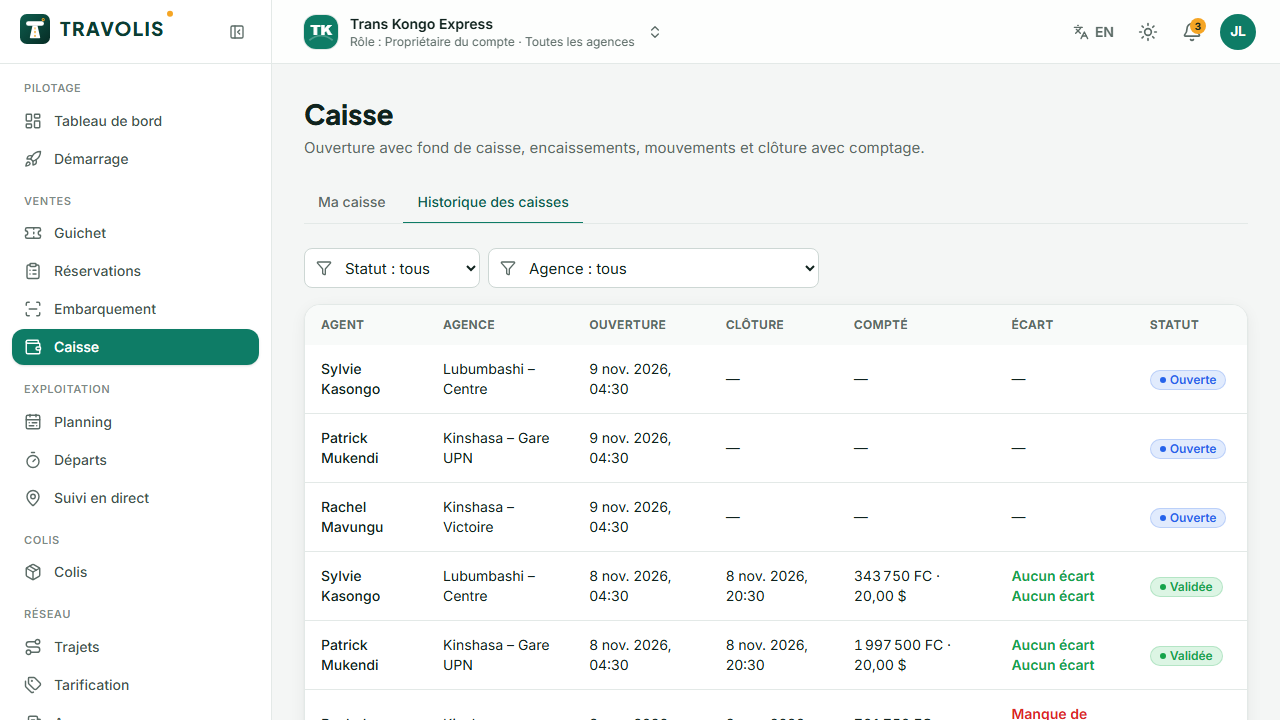
- Open Cash desk, History tab.
- For each closed session, compare the expected amount with the counted amount: the difference is calculated per currency.
- Open the session to see the movements (sales, parcels, baggage excess, deposits, withdrawals).
- Tap Approve when everything is correct. You can close the session of an agent who forgot to.
Agency reports
In Reports, filter on your agency: revenue by channel, load per route, peak hours, profitability per trip. Export as PDF for your meetings.
Staff
If your role allows it, invite your agency's agents in Users and roles, limiting their access to your agency.